 Back
Back
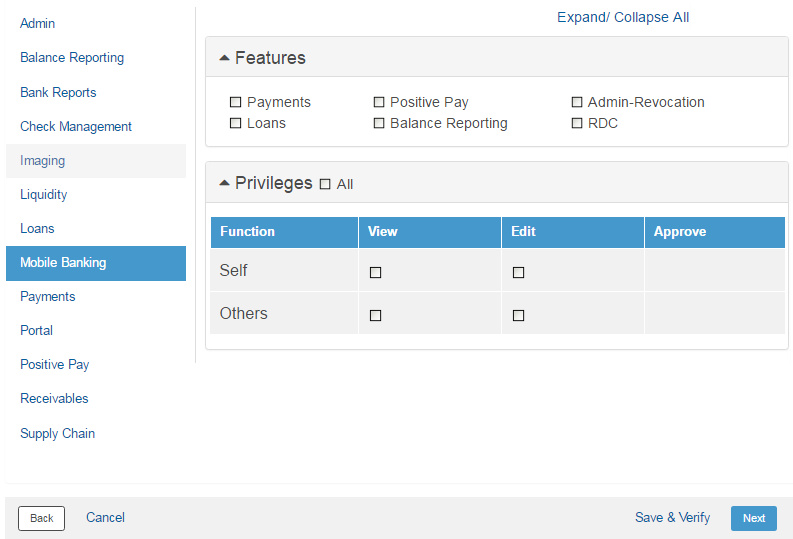
Set up the relevant permissions for the role to access various features of mobile banking service and perform appropriate tasks.
Page element |
Description |
Features |
• Payments: Select the check box to enable access to Payments features on mobile devices. • Positive pay: Select the check box to enable access to Positive Pay features on mobile devices. • Admin-Revocation: This option is enabled, by default, and allows the client - admin user to revoke the mobile devices registered to client users. • Loans: Select the check box to enable access to Loans features on mobile devices. • Balance Reporting: Select the check box to enable access to Balance Reporting features on mobile devices. • RDC: Select the check box to enable access to Remote Deposit Capture features on mobile devices. |
Privileges |
Specify the View, Edit, and Approve rights for mobile banking features. Select the activities corresponding to the mobile banking options. |
Save & Verify |
Click Save & Verify to save and verify the details. |
Next |
Click Next. |
 Where to go from here
| © 2017-19 Finastra International
Limited, or a member of the Finastra group of companies (“Finastra”).
All Rights Reserved.
Cat ID: FCM4.6-00-U02-1.5.3-201903 |
